Overview
Live data, no code
Pixel Rack pulls live information from the services and devices you already run, and puts it into anything it shows. Adding a source is pointing and clicking: no code, no scripts.
Integrations for standard network protocols and a set of ready-made data sources are built in, and you can add as many sources of your own as you like.
- Built in, ready to use
- Weather, time and date, world clocks, currency rates, YouTube channel stats and live streamers, and Pixel Rack’s own network, power and temperature.
- Add any web API
- Paste the address of a JSON API and press Parse. Pixel Rack lays out what comes back, and you click the values you want.
- MQTT
- Connect to your broker and Pixel Rack recognises each kind of message. Sensors of the same kind share one setup, and temperature and humidity can show as gauges.
- SNMP
- Scan a switch, router or server (v1, v2c and v3) and pick values from a readable list, like uptime, port traffic and CPU load. Combine several into one as an average, sum, minimum or maximum.
- UniFi
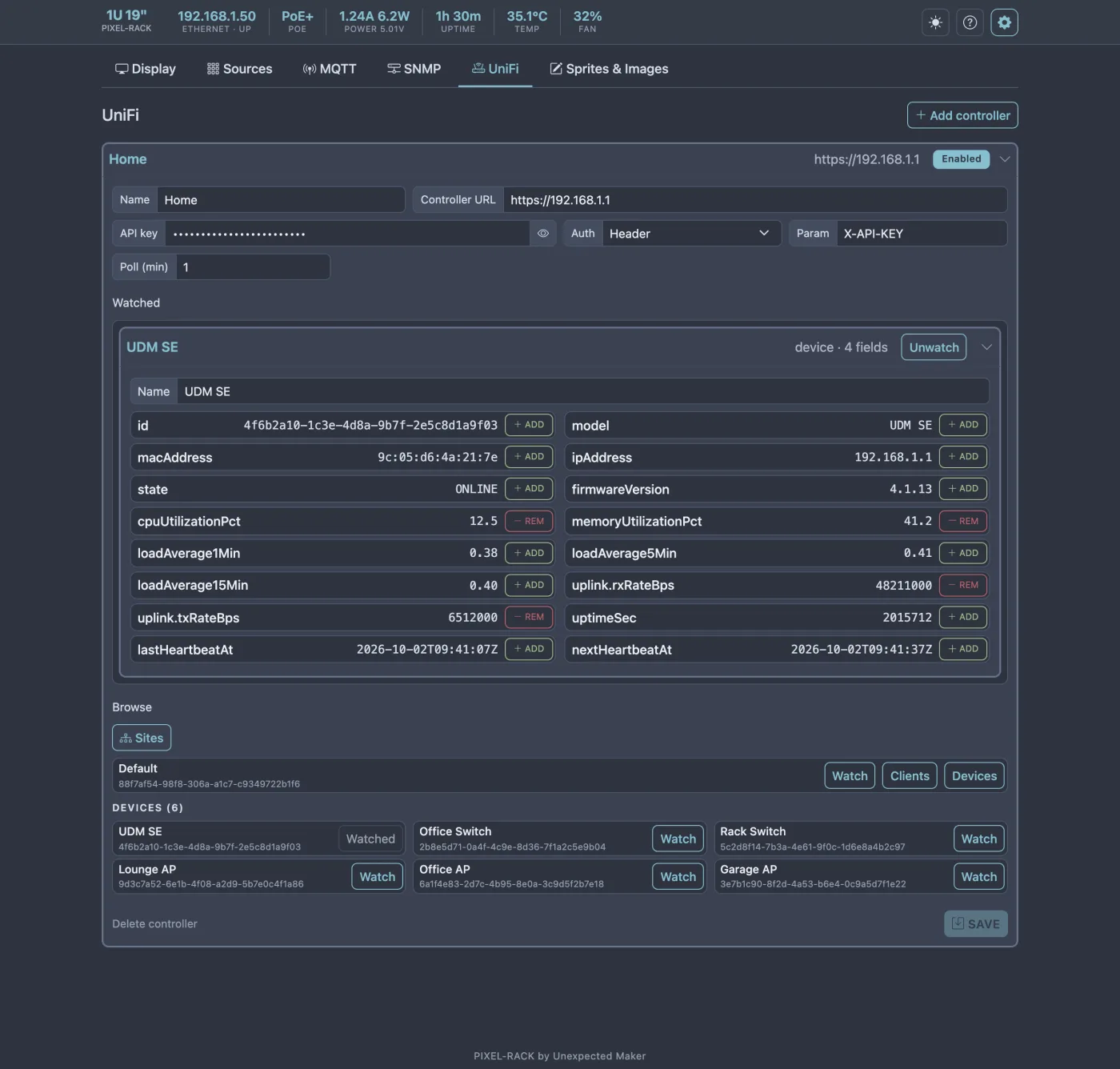
- Connect your UniFi controllers and watch sites, devices and clients, such as clients online and devices offline.
Creative control
Get your data on the display quickly, or create complex animations on a timeline - every pixel is yours.
The unit of content
Scenes, in sequence, forever.
Pixel Rack plays your content in a continuous loop. You decide what it shows, when it shows it and for how long.
Make something show once, make it show every hour, schedule it, or make it loop forever.
- Rich text
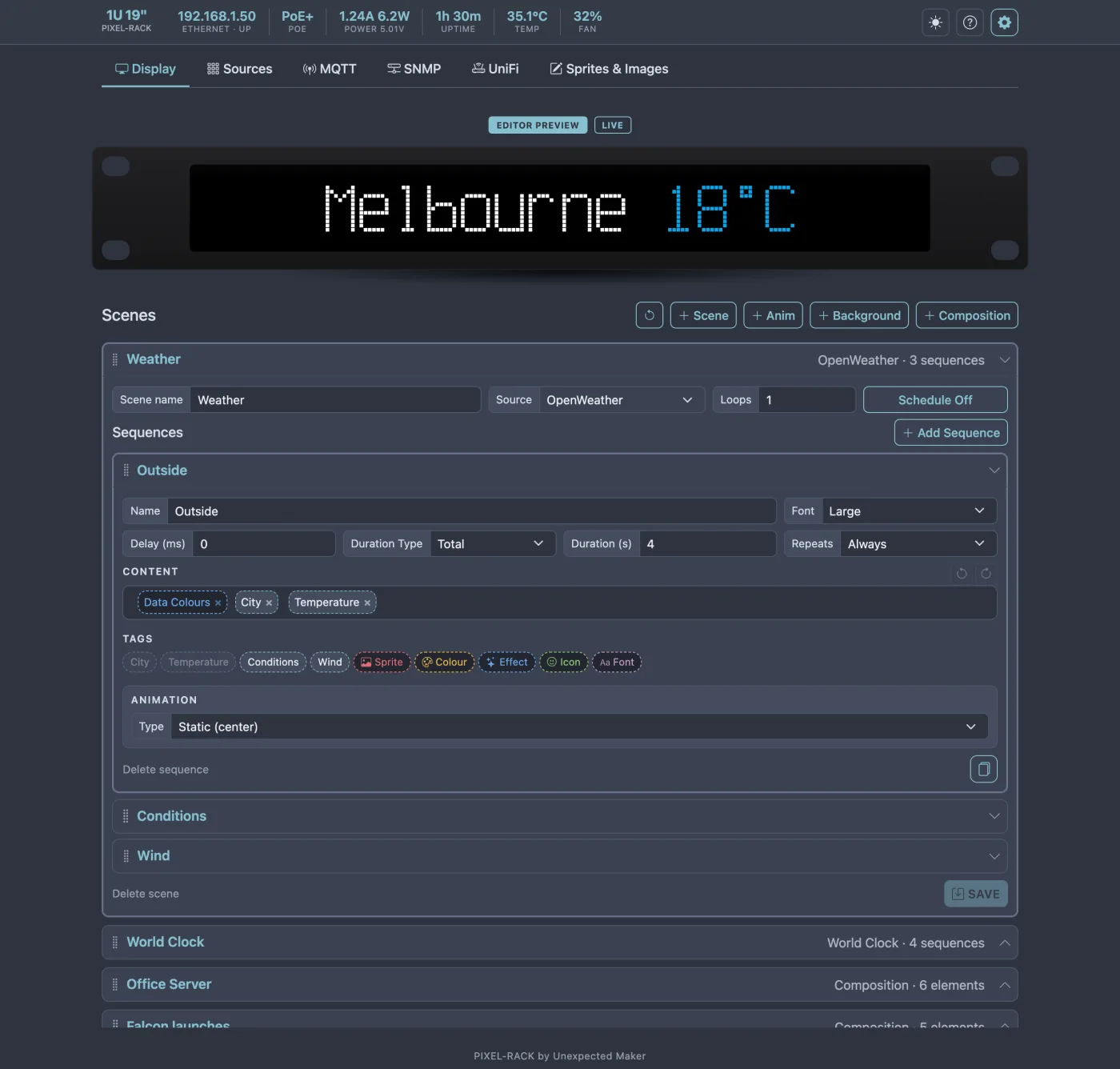
- Colours, rainbows, gradients and random-colour effects - static or animating, all mixed in one message. Scroll, fade or pixelate - you design it.
- Motion
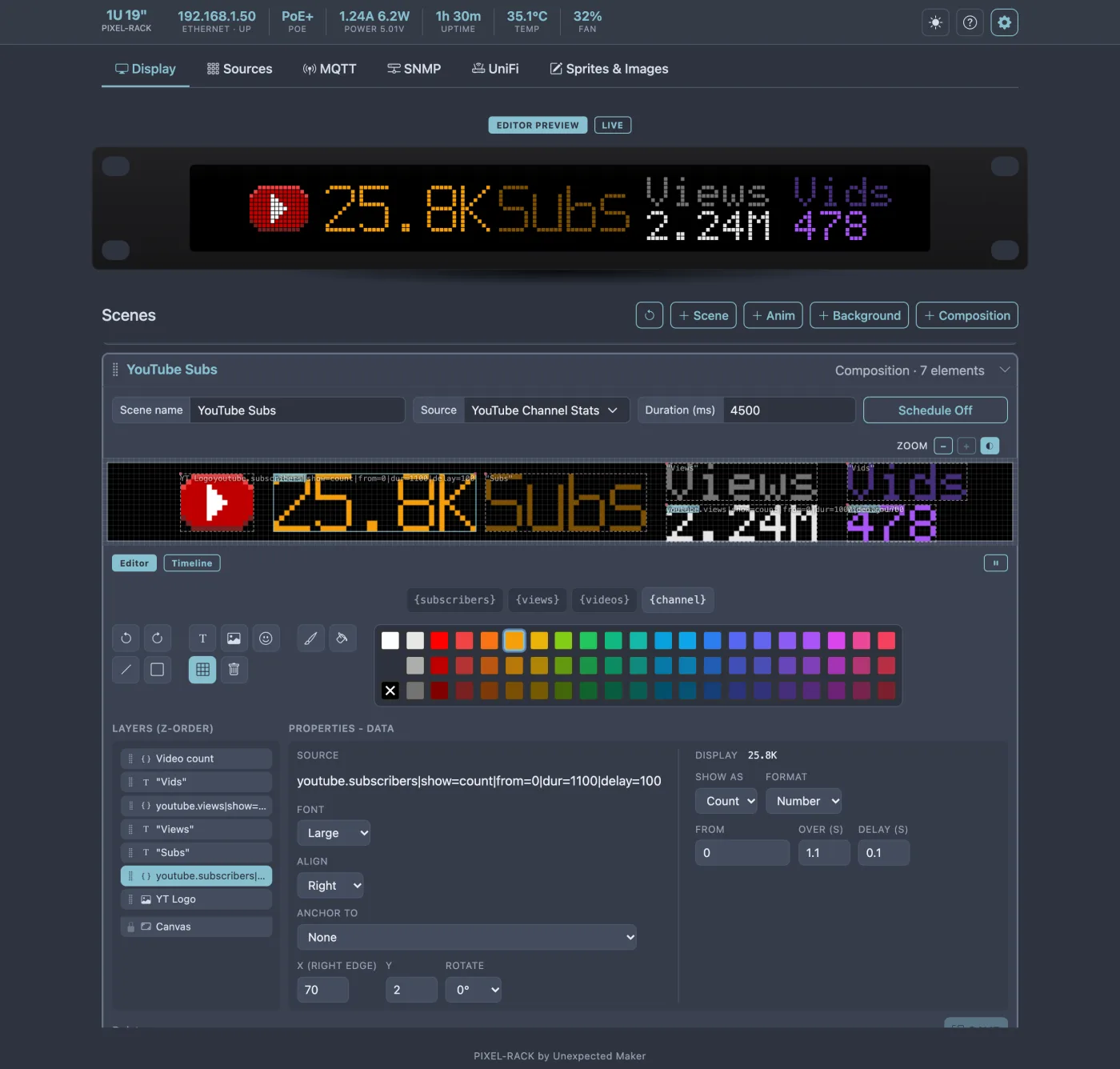
- Sprites, live values, text and shapes anywhere on the display, and animate them on a timeline with keyframes for position, opacity and colour.
- Pixel art
- Draw sprites with multiple frames in the sprite editor, show dual-tone icons or import a PNG as a sprite or a full-colour image, with crop, size, colour and transparency.
- Data gauges
- A range of gauges driven by your data chits, shown on their own or with the value next to them. They work automatically, including animating to each new value.
- Effects and animations
- Built-in animation and effects: Fire, Rain, Matrix, DNA, Stars, Tunnel, WarGames and more.
Send to it from anything
Sure, Pixel Rack comes with its own app to allow you to control what data you want to retrieve and allow you to design how it’s shown, but we know that doesn’t suit every scenario – every use case – every user.
We include the ability to push messages to the display of one or more Pixel Racks on your network via any app or code you want, and even display messages on one Pixel Rack on your network from another.
- REST API
Integrate pushing messages to any Pixel Rack on your network from any codebase or app that can post JSON to a REST API.
The REST API lets you pass the message text and its colour, or use multiple colours within the message.
Perfect for automated testing, progress notifications and more.
- Every Pixel Rack at once
Pixel Racks can find each other on your network using UDP broadcast. Discoverable devices require a common secret key that you choose.
When devices discover each other, a new Discoverable menu & page appears where you can see all devices and select which ones to broadcast messages to.
Broadcast messages interrupt running scenes, and show on all recipients at the same time.
Full control in your browser
Pixel Rack serves its own application. Open its IP address or local domain name in any browser on your network and everything is there for you.
- On the device. Not somewhere else.
The Pixel Rack application includes everything: the content creation editors, accurate previews, sprite creation, network device access,
web API sources, logs and firmware updates.No external app, no cloud accounts, no internet required.
- What you see is what it shows
- The preview shows exactly what the display will show, as you edit. Switch to LIVE to see what it is showing right now.
- Settings and control
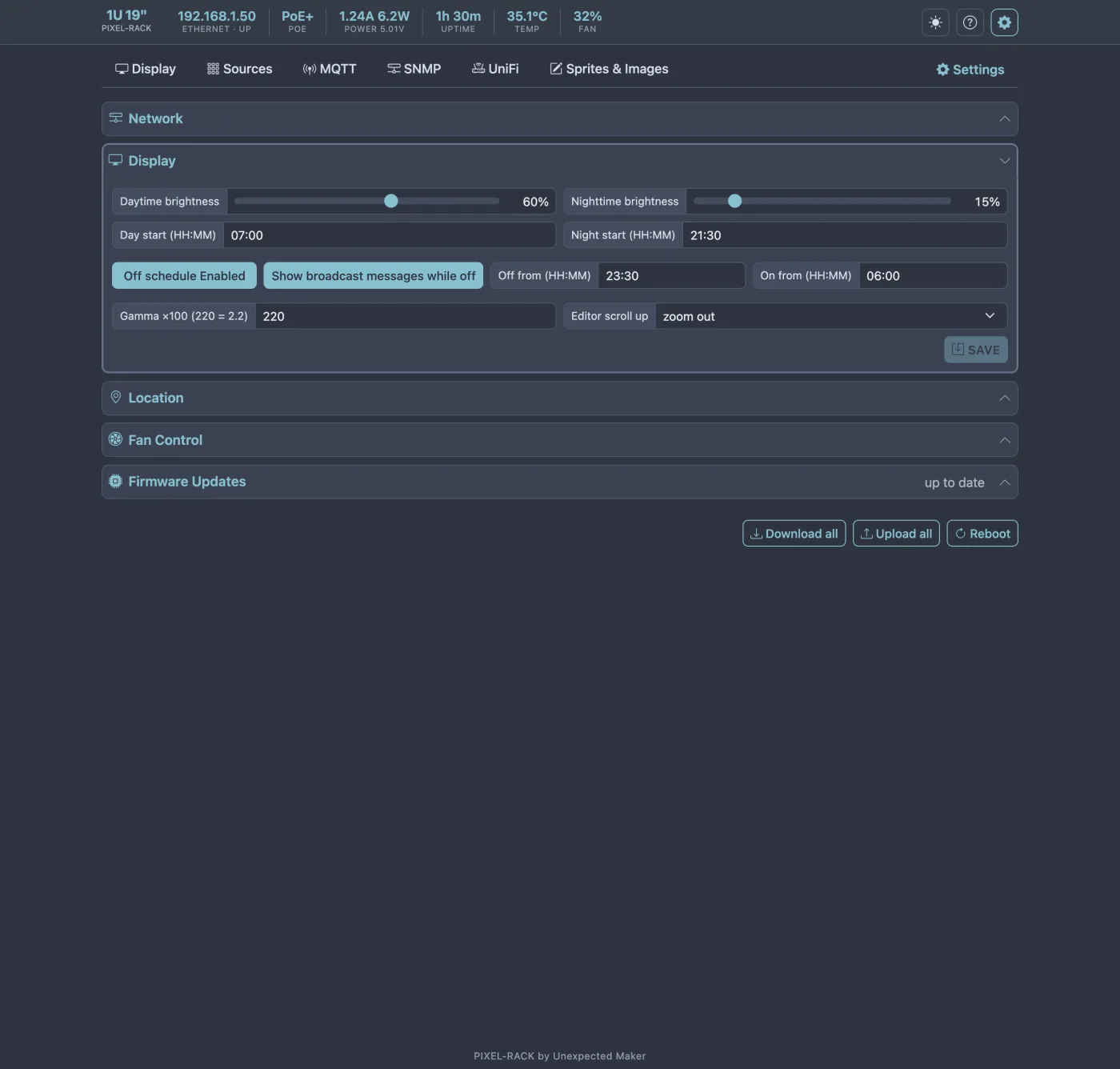
- Daytime and nighttime brightness, an off schedule, the fan’s speed control, network settings, location and time zone, and firmware updates, all set from the browser.
- Device and API data presented to you
- Data collected from network devices, or returned by a web API, is presented to you visually, so you can select which values you want to create {tags} from. You can also create {tags} by combining returned data in various ways.